

The Brutal Truth About Apple's Walled Garden
Before you waste another second watching sketchy tutorials, let's get the facts straight about forcing outside apps onto your iPhone.
The Big Myth: You can't natively install an APK file on an iPhone. They are fundamentally incompatible file types.
The Real Solution: You don't need an APK. You need the iOS equivalent, which is an IPA file.
The Workaround: You'll use a process called sideloading to bypass the App Store entirely, and you don't need to void your warranty to do it.
The Catch: Unless you live in the EU or pay Apple a yearly fee, your sideloaded apps will self-destruct every seven days.
Stop Searching For Magic Buttons
You're probably here because a wildly enthusiastic person on YouTube promised you a one-click solution. They likely told you to download an APK, install a "special profile," and suddenly you'd be playing an Android-exclusive game on your iPhone 15.
I hate to be the bearer of bad news, but they're lying to you.
Why do they lie? Because clicks pay the bills. The internet is flooded with fake "APK for iOS" websites. They usually force you to complete a survey, download a VPN, or install a sketchy device management profile.
Do these ever result in a working app? Absolutely not.
Instead, they hijack your Safari browser to serve you endless ads or, worse, scrape your browsing data. You aren't hacking the matrix. You're just handing your digital keys to a teenager in a basement.
The Architecture Clash: Why The Files Fail
Sure, the official Apple whitepapers will tell you the App Store's strict lockdown is entirely about user safety and malware prevention. But here in the real world, anyone looking at Apple's quarterly earnings knows it's also about protecting their massive cut of digital sales.
When you download an APK, you're grabbing an Android Package Kit. It's built on specific code frameworks designed to run on Android's operating system.
Your iPhone doesn't speak that language. It runs iOS. It wants an IPA file (iOS App Store Package).
Trying to force an Android file onto an Apple device is like trying to shove a diesel nozzle into an electric car. The underlying hardware and software just aren't built to communicate.
The Real Workaround: Shifting Your Strategy
So, you're locked out, right? Not exactly.
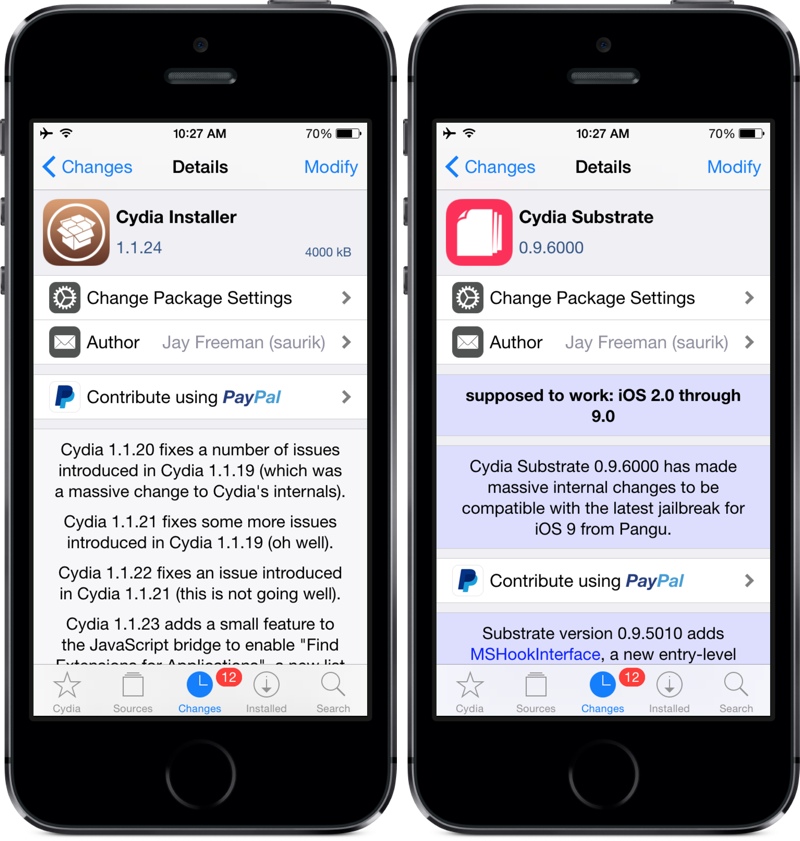
You don't need to jailbreak your phone to get apps from outside the official store. Jailbreaking is a massive security risk anyway, and it's mostly a relic of the past.
What you actually need to do is change your search query. Stop looking for the Android version of the app. Start looking for the IPA version.
Once you have the right file, you can use a developer loophole to push the app onto your phone. Apple allows developers to test their own apps on their personal devices before publishing them. We're going to use specialized software to trick your iPhone into thinking you're a developer testing your own brilliant creation.
The Sideloading Showdown
To pull this off, you need a middleman. You need a program that takes the IPA file, signs it with a digital certificate, and shoves it through the charging cable into your phone.
Here's how the top tools stack up against each other right now.
| Sideloading Tool | Computer Required? | Wi-Fi Syncing? | Best For... |
| AltStore | Yes (Mac or PC) | Yes (after setup) | Beginners wanting an easy interface. |
| Sideloadly | Yes (Mac or PC) | Yes | Power users tweaking app permissions. |
| TrollStore | No | N/A | Older iOS versions with specific exploits. |
AltStore is usually the safest bet for the average user. It's essentially a secondary app store that lives on your phone, but it requires a companion app running on your computer to keep the lights on.
Forcing Apps Onto Your iPhone
Ready to actually get this done? Throw out the fake Android files and follow the real path. Here is how you bypass the gatekeepers.
Find A Clean IPA File
You can't just grab these from anywhere. You need reputable databases. GitHub is usually your best bet for open-source projects, emulators, and ad-free media players. If a site looks like it was built in 1998 and has six fake download buttons, close the tab immediately.
Get Your Computer Ready
You can't do this with just your phone. You need a Mac or a Windows PC. Download AltServer (the computer side of AltStore) from their official website. If you're on Windows, you'll also need to download iTunes and iCloud directly from Apple's website, not the Microsoft Store versions. It's a weird quirk, but it's non-negotiable.
Connect And Authenticate
Plug your iPhone into your computer using a physical cable. Open AltServer. You'll need to enter your Apple ID and password.
Sound terrifying? I get it.
Your credentials aren't going to the software developers, though. They are sent directly to Apple's servers to generate a free developer certificate. If you're paranoid, just create a burner Apple ID specifically for this process.
Trust Your Own Profile
Once AltStore appears on your iPhone's home screen, it won't open. Apple puts up a roadblock. You have to open your iPhone's Settings, navigate to General, find "VPN & Device Management," tap on your Apple ID, and hit "Trust." You're formally telling your phone that you vouch for yourself.
Sideload The Target App
Open AltStore on your phone. Tap the "+" icon in the corner. Browse your phone's files to find that IPA you downloaded earlier. Select it, and AltStore will inject it into your device.
The Dreaded Seven-Day Timer
Here's the harshest reality of doing this for free. Apple's free developer certificates expire after exactly 168 hours.
When the clock strikes zero, your sideloaded app will instantly crash upon opening.
To prevent this, you have to connect your phone to the same Wi-Fi network as your computer, open AltStore, and hit "Refresh" before the week is up. If you forget, you have to plug the phone back into the computer and start the process over. It's annoying. It's tedious. It's the price you pay for playing outside the walled garden.
What About Browser-Based Emulators?
What if the app you want literally doesn't have an iOS equivalent? What if it's an Android-only game and no IPA exists?
You still aren't installing an APK. But you might be able to stream it.
Cloud gaming and browser-based emulators are getting incredibly sophisticated. Some services allow you to run a virtual Android device in the cloud. You access it through your Safari browser, log into the Google Play Store on their virtual machine, and play the game through a video feed.
It eats data like crazy. There will be input lag. But if you absolutely must access an Android-only ecosystem without buying a cheap secondary phone, web-based virtualization is your only legitimate technical path.
The European Shakeup
If you happen to live in the European Union, the rules of the game are currently being flipped upside down.
The Digital Markets Act (DMA) forced Apple's hand. They are legally required to allow third-party app marketplaces on European iPhones.
Does this mean they finally support Android files? Nope.
It just means companies like Epic Games can launch their own native iOS stores without paying Apple a massive tax. You still need the iOS-formatted files, but the sideloading process is slowly becoming an official, legal, and vastly less annoying process for EU residents. For the rest of the world? We're still stuck resetting our developer timers every seven days.
The Verdict On Escaping The Ecosystem
The truth isn't always convenient. The tech industry loves to sell the idea of universal compatibility, but major corporations spend billions ensuring their ecosystems remain distinct, isolated, and highly profitable.
You can't force Google's puzzle pieces into Apple's board.
Stop wasting time on scam sites promising the impossible. Pivot your strategy. Hunt down the IPA files, set up a legitimate sideloading tool like AltStore, and accept the maintenance routine that comes with it. It takes a little technical elbow grease, but it's the only real way to break the rules without breaking your phone.
Burning Questions From The Trenches
Will sideloading an app void my iPhone warranty?
No. Because you aren't jailbreaking the device or modifying the core operating system, Apple doesn't care. You're just using a standard developer testing feature that they built into the software themselves.
Can I install an APK if I decide to jailbreak my phone?
Still no. Even a fully jailbroken, completely unlocked iPhone doesn't have the underlying architecture to run Android applications natively. You'd need a dedicated Android emulator built for jailbroken iOS, and those run terribly.
Why do some websites offer APK installers for iOS?
They are pure scams designed to generate revenue. They trick you into installing mobile device management (MDM) profiles that flood your calendar with spam, track your data, or force you to watch ads under the guise of "verification."
Is there a way around the seven-day refresh rule?
Yes, but it costs money. If you pay Apple $99 a year for an official Apple Developer account, your certificates last for a full 365 days. Alternatively, some paid third-party signing services offer yearly certificates for around $20, but these occasionally get revoked by Apple.